On October 21, 2026, the PHP development team released emergency security patches addressing two critical vulnerabilities. Because WordPress runs on PHP, these vulnerabilities may affect the servers hosting WordPress websites.
The PHP Security Update for WordPress is therefore an important concern for business owners, consultants, educators, healthcare professionals, and organizations that depend on their websites for enquiries, services, and everyday operations.
Here’s what changed, how to check your website, and what to do next.
What Is the October 2026 PHP Security Update for WordPress?
PHP is the programming language that helps power WordPress websites.
The October 2026 PHP security release addresses two vulnerabilities:
- CVE-2026-109618
- CVE-2026-109619
Both were classified as critical because they could allow an unauthenticated attacker to execute malicious code on a vulnerable server.
Importantly, these are PHP vulnerabilities, not WordPress core vulnerabilities.
According to WordPress.org’s official announcement, installing a WordPress core update alone will not resolve these issues. The relevant PHP installation needs to be patched.
That distinction matters because WordPress, plugins, themes, and PHP are separate parts of your website’s technical environment.
Is Your WordPress Website Affected?
Not every WordPress website requires the same action.
Your exposure depends on the PHP version running on your hosting server, whether security patches have already been applied, and how your hosting environment is managed.
For the October 2026 PHP Security Update for WordPress, the PHP project released these patched versions:
| PHP branch | Patched version |
|---|---|
| PHP 8.5 | 8.5.12 |
| PHP 8.4 | 8.4.27 |
| PHP 8.3 | 8.3.36 |
| PHP 8.2 | 8.2.35 |
These versions are documented in the official PHP security advisory.
Some hosting providers apply security fixes through backported patches, so a displayed PHP version lower than those listed does not automatically mean your server remains vulnerable.
WordPress.com has also confirmed that websites hosted on its platform are already protected against these vulnerabilities.
How to Check Your PHP Version in WordPress
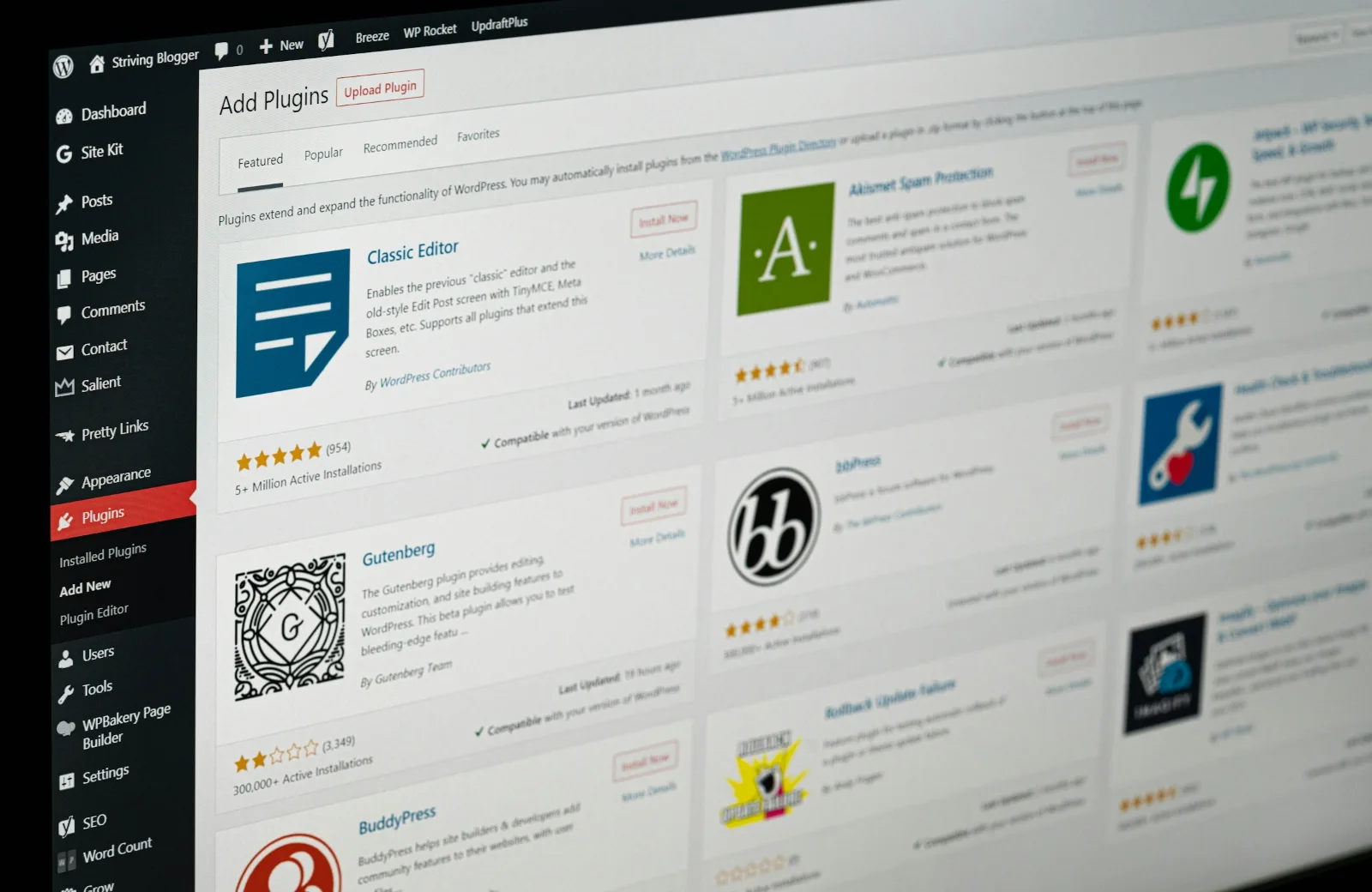
If you’re unsure whether your website needs the PHP Security Update for WordPress, start by checking its current PHP version.
- Log in to your WordPress dashboard.
- Go to Tools → Site Health.
- Select the Info tab.
- Expand the Server section.
- Find the PHP version listed.
You can also check your hosting control panel or ask your hosting provider.
Remember that the version number is only part of the picture. Your hosting provider should confirm whether the October 2026 security patches have been applied.
How to Update PHP Safely on Your WordPress Website
Applying the PHP Security Update for WordPress may involve changing your server’s PHP version or having your hosting provider install an appropriate security patch.
Before making changes:
- Back up your website. Ensure you have a usable backup of your files and database.
- Check compatibility. Review whether your WordPress installation, theme, and plugins support the proposed PHP version.
- Coordinate with your hosting provider. Confirm the appropriate update method and whether the patches are already installed.
- Apply the update or patch. Use your hosting provider’s supported process.
- Test website functionality. Check important pages, contact forms, bookings, payments, and other essential features after the change.
If you’re not familiar with your hosting environment, seek technical support rather than making an untested PHP version change on a live business website.
Frequently Asked Questions
Has the PHP vulnerability been fixed?
Yes. The PHP project released fixes on October 21, 2026. However, the availability of a patch does not mean every hosting server has installed it.
Do I need to update WordPress plugins and themes?
Keeping plugins and themes updated is important for general website security, but those updates do not replace the PHP security patch required for these vulnerabilities.
What if my website uses an older PHP version?
PHP 8.1 and earlier no longer receive security updates directly from the PHP project. Some hosting vendors may provide extended support or backported fixes. Ask your provider about patch coverage and plan an upgrade to a supported PHP version.
Can I update PHP without cPanel?
Yes, depending on your hosting provider. Managed hosting dashboards, alternative control panels, or hosting support teams may handle PHP updates.
Why Ongoing WordPress Maintenance Matters

The October 2026 PHP Security Update for WordPress highlights a broader lesson: website security is not a one-time task.
A website can look perfectly normal while its underlying software needs attention.
For organizations that rely on their websites to share expertise, receive enquiries, deliver resources, or serve clients, routine maintenance helps keep the digital foundation dependable.
A practical WordPress maintenance process may include:
- Routine WordPress core, theme, and plugin updates
- Basic security monitoring
- Website functionality checks
- Review of hosting and PHP update requirements
These activities help identify issues and maintain website reliability, although no maintenance plan can guarantee complete protection from every threat.
Need Help With the PHP Security Update for WordPress?
Understanding a security announcement is one thing. Knowing what it means for your particular website and making changes without disrupting important functionality is another.
At DelCreatives, we support WordPress website updates, troubleshooting, and ongoing maintenance as part of our Digital Growth Systems services.
Whether you need help reviewing the PHP Security Update for WordPress or want a more consistent approach to website upkeep, we can help assess the situation and identify appropriate next steps.
Our recurring website maintenance support includes routine updates, basic security monitoring, and functionality checks to help keep your website reliable and maintained.